Grocery and shopping lists you can share
Create a list, share it with your family, roommates or friends, and everyone sees the same list. Every change appears on every phone.


Free to start · No account needed to make your first list
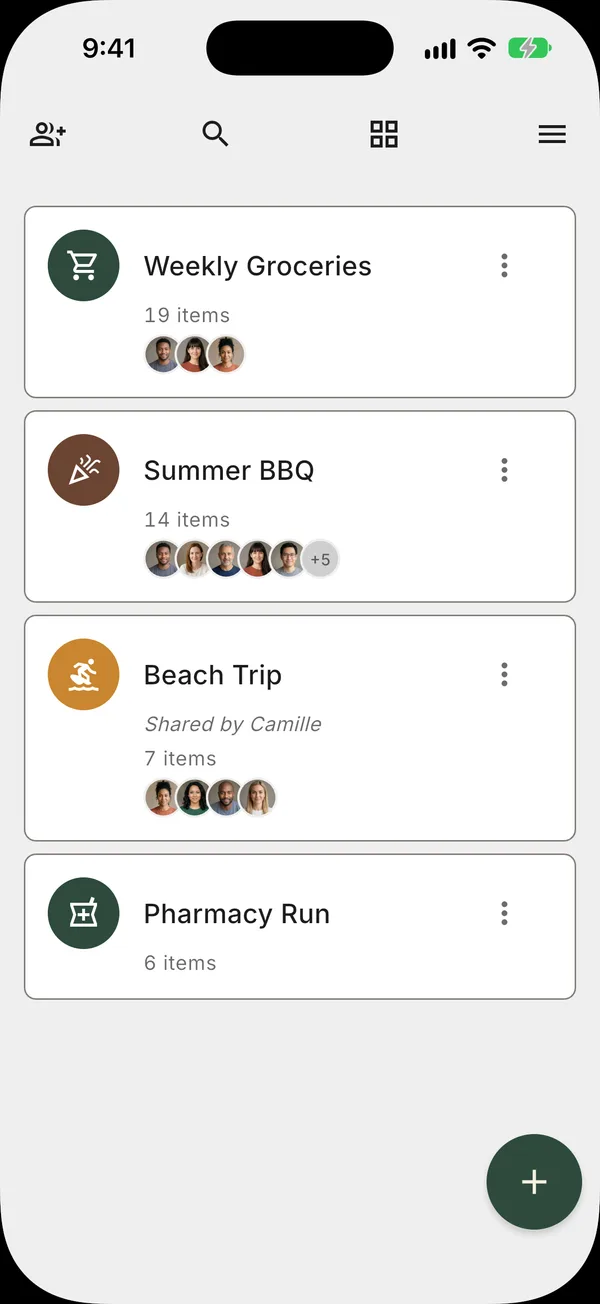
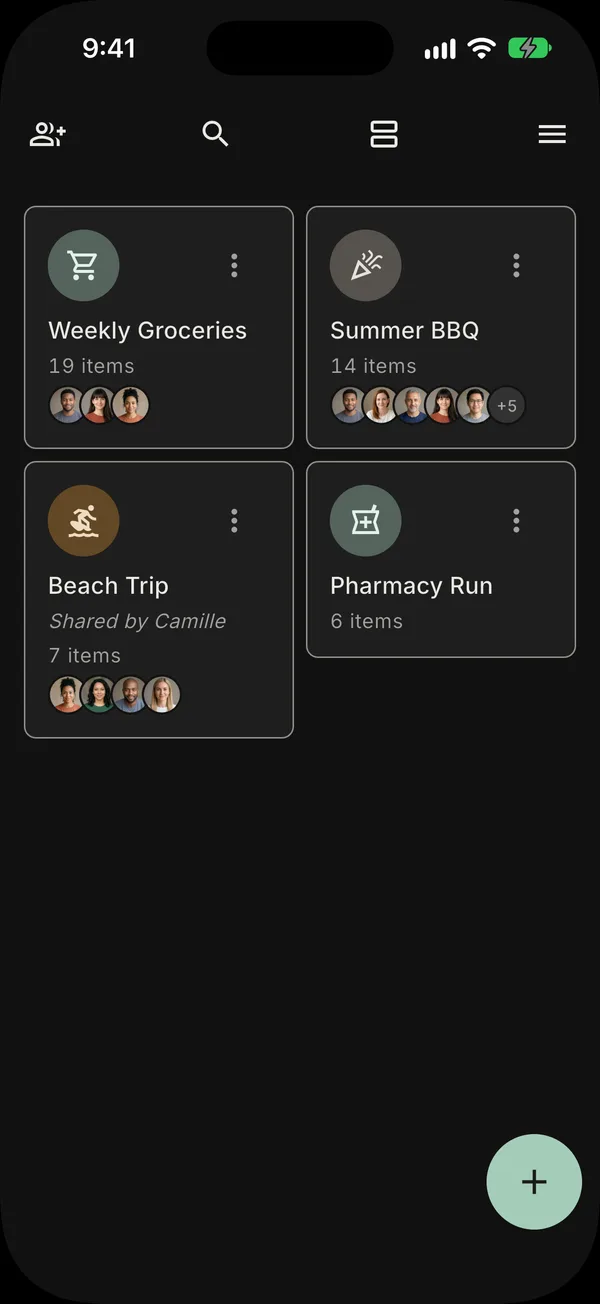
One list, shared with everyone.
Everyone adds what they need, so the person at the store has the current list.
Shared lists
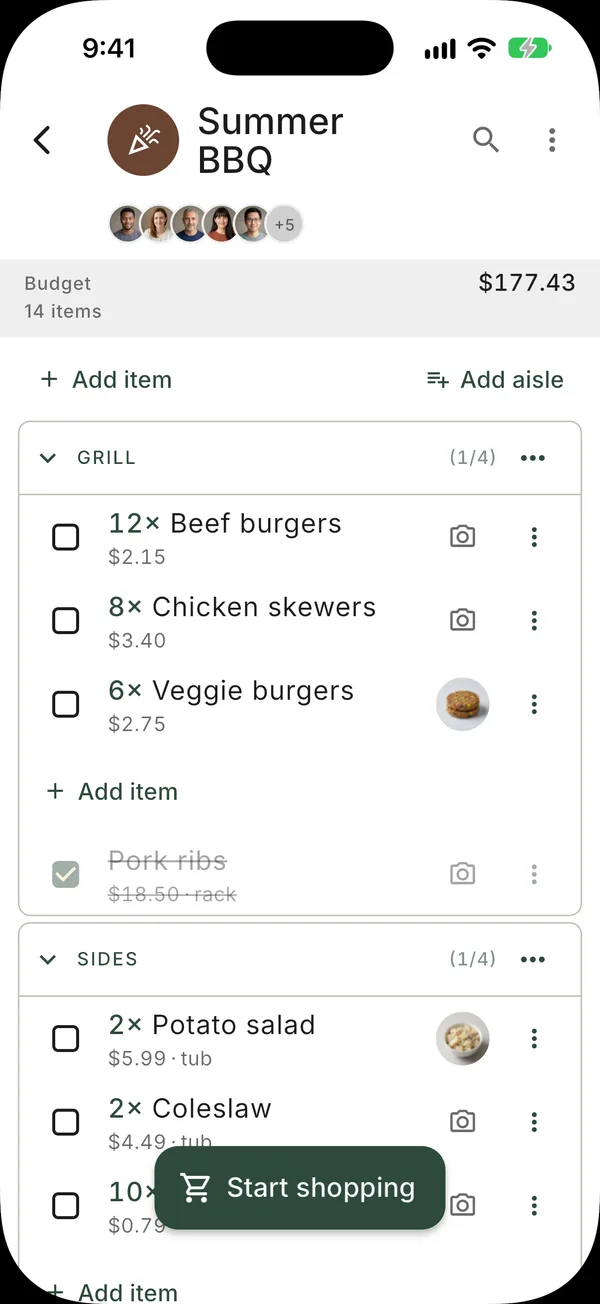
Share a list with your family or roommates. Everyone adds and checks off items, and every change appears on every phone.
Aisle order
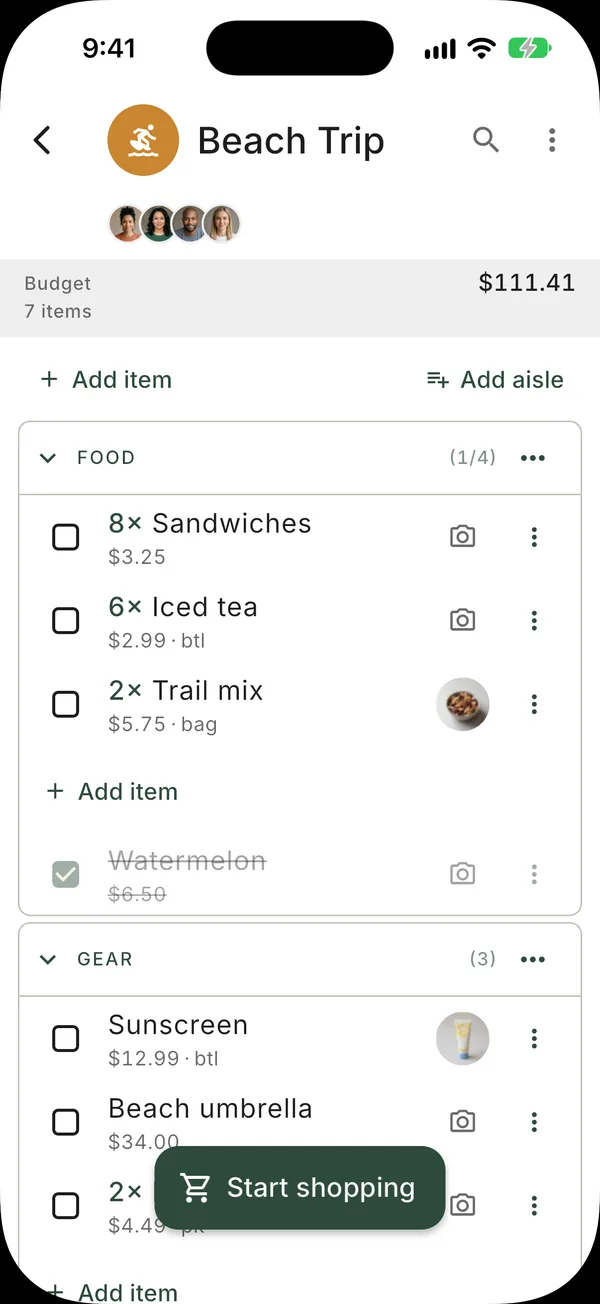
Your aisles come in the same order as the aisles in your store.
Prices and budget
Add a price to an item and Tote keeps a running total of the list and of what is in your cart.
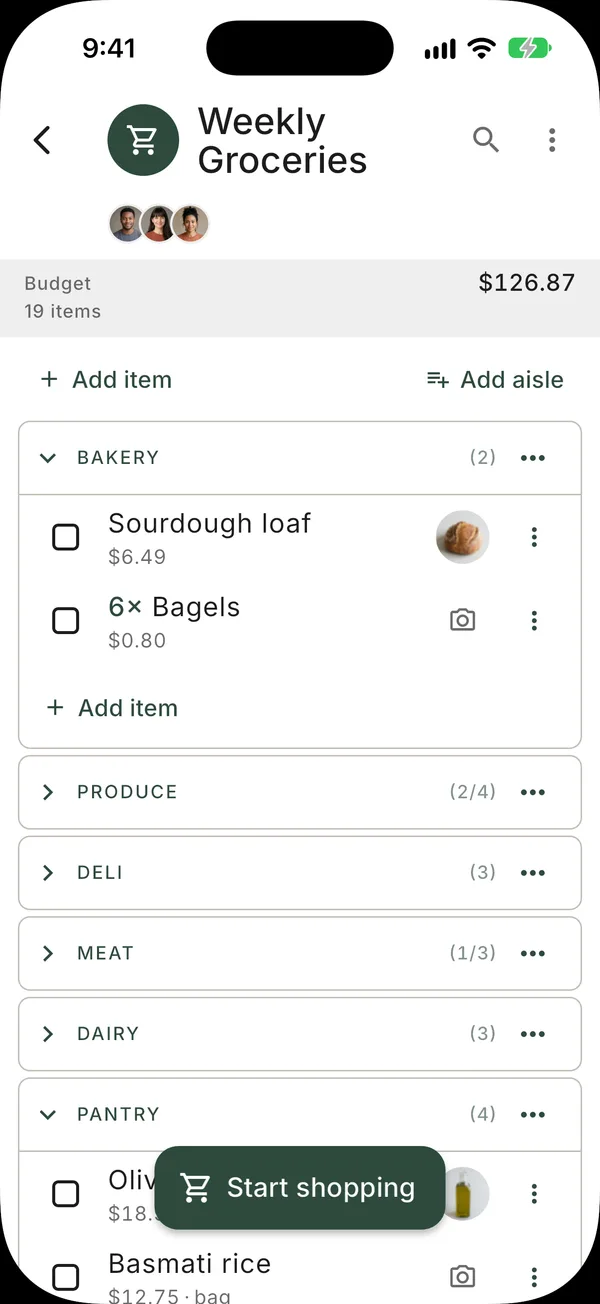
Your aisles in the same order as your store.
Your aisles come in the same order as the aisles in your store. You set that order yourself, for each list.
- Your aisle order — set it to match the store you shop in.
- One order per list — a big shop and a corner-store run can differ.
- Checked items move down — to the bottom of their aisle, out of your way.
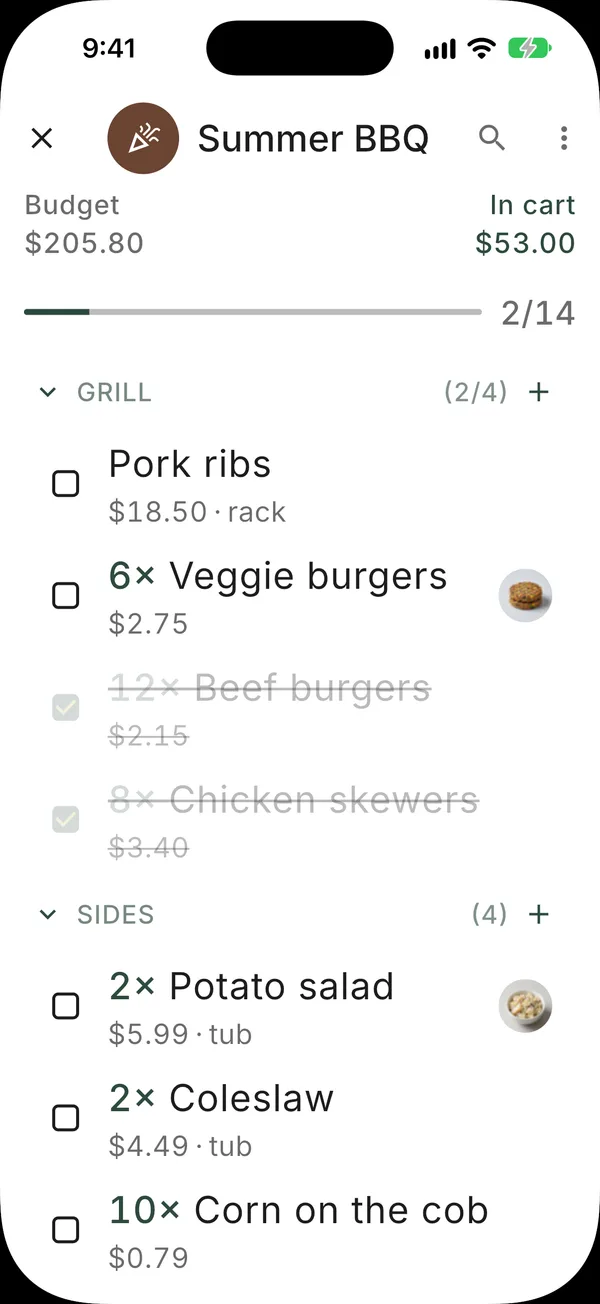
A separate view for use in the store.
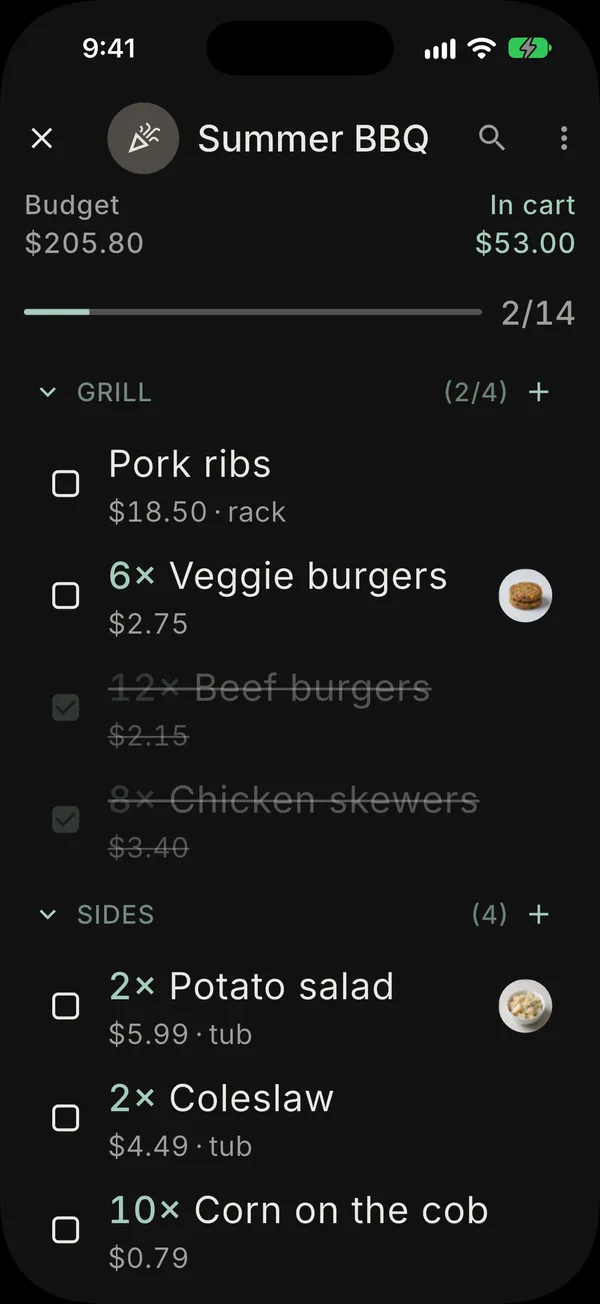
Open shopping mode when you reach the store. It shows the same list, in a view made for reading and checking off items while you shop.
- Tap or swipe right to check off an item — with one hand. Swipe left to put it back.
- The screen stays on — your phone does not go to sleep while you shop.
- Brightness boost — turn it on to make the screen brighter.
- Larger text — so the list is easier to read in the store.
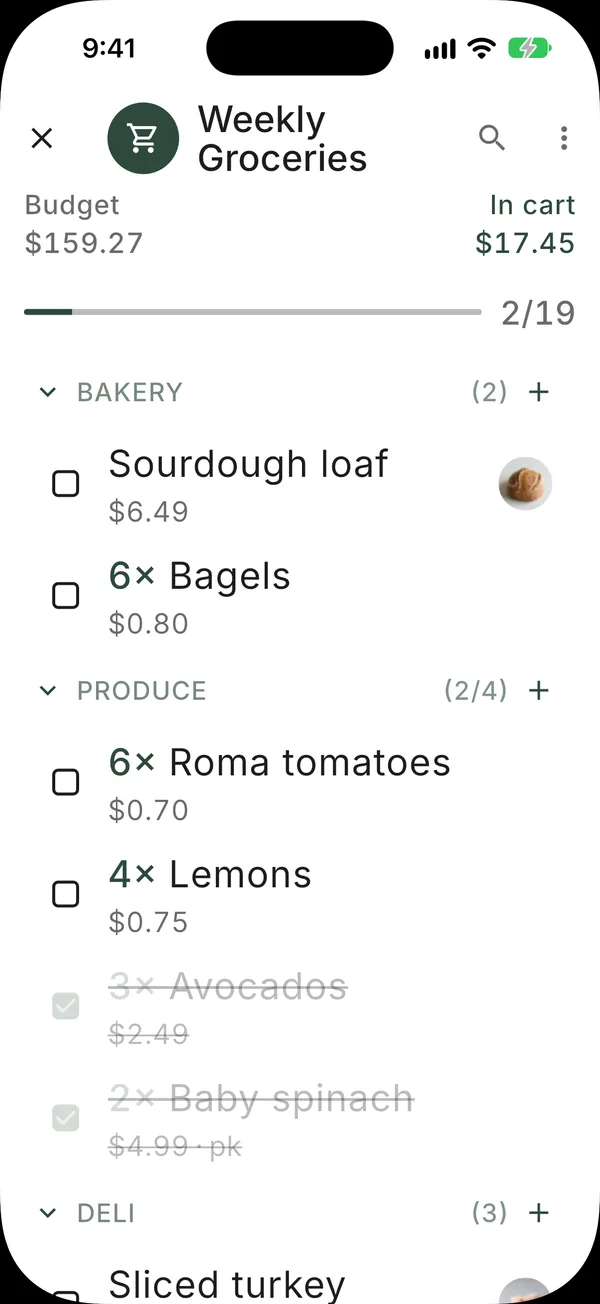
See the total while you shop.
Add a price to an item. Tote adds up the list total and shows what is in your cart as you shop.
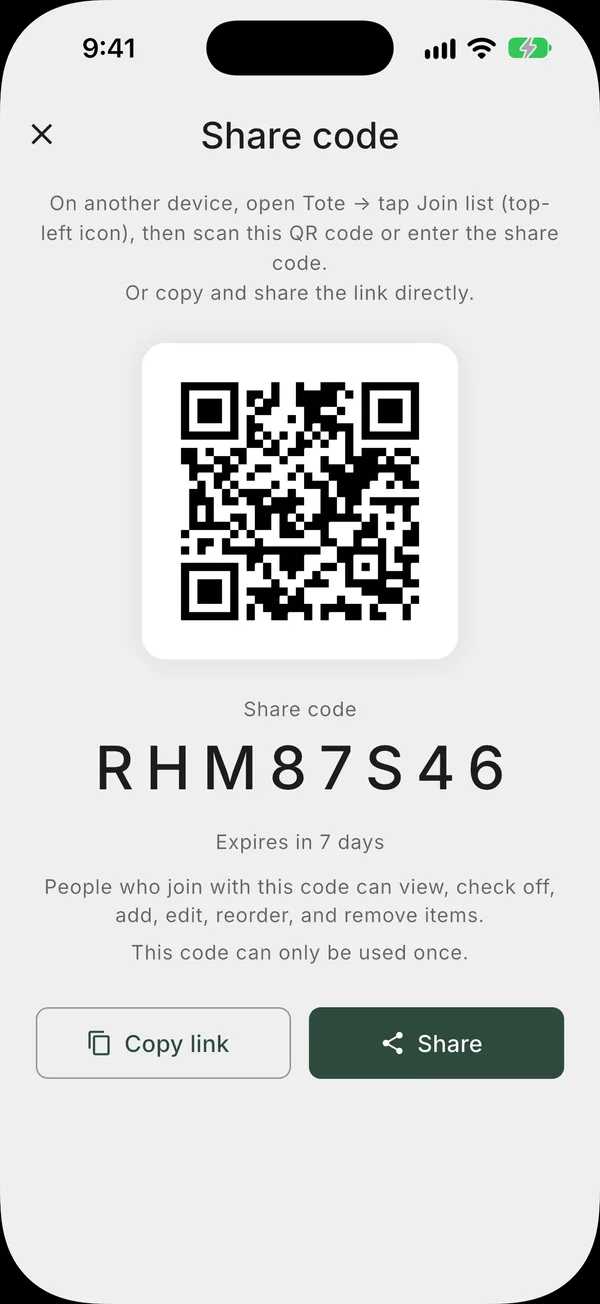
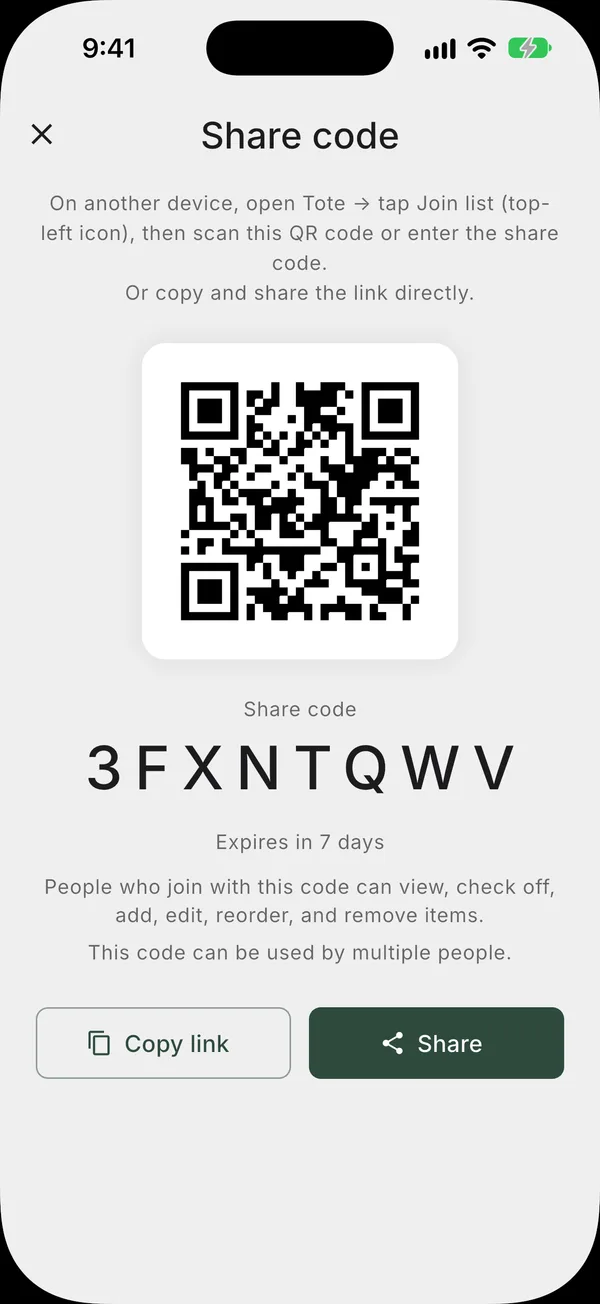
Share a list with a link or a QR code.
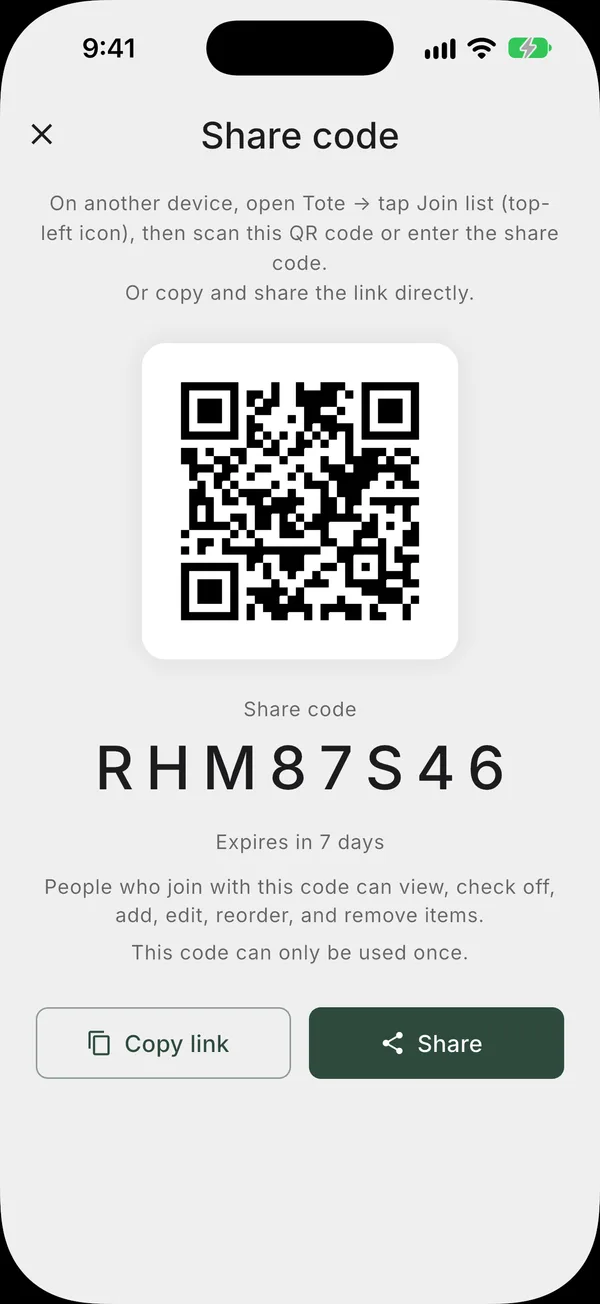
Send a link or show a QR code. The other person taps it, signs in with Apple or Google, and the list is on their phone.
- A link or a QR code — send one, or show the other to scan.
- Choose the access — view only, or can edit. The can-share level is a Tote+ feature.
- Sign in with Apple or Google — the other person does this once.
- iPhone and Android — one of you on each, and the list stays in sync.
- A notification when someone joins — you see who is on the list.

Tote shows no ads.
Your list is visible only to the people you share it with.
No ads
No banners, no pop-ups, and no sponsored or promoted items inside your list.
Only the people you invite
An item appears on your list only when you or someone you invited adds it.
No chatbots or feeds
Tote has no chatbot, no pop-ups and no recommendation feed. It keeps a list.
Backed up in the cloud
Your lists are stored in the cloud, not only on one phone. Sign in on another device and your lists are there.

Additional capabilities with Tote+.
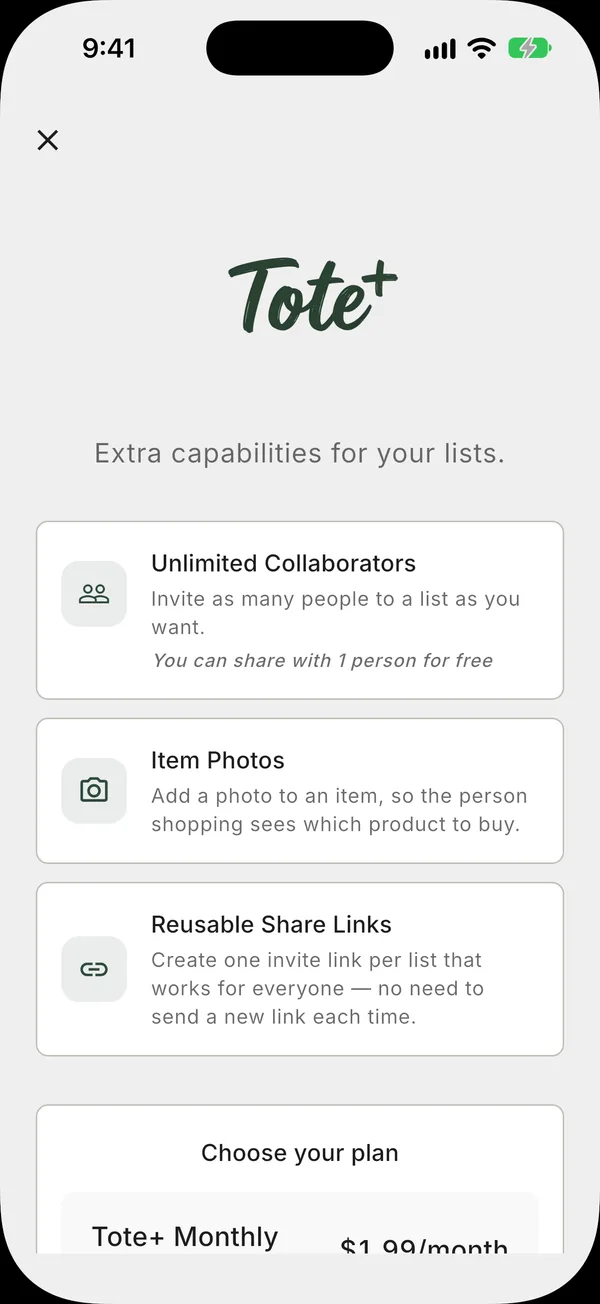
Everyday shopping is free. Tote+ adds unlimited collaborators, item photos and reusable invite links.
Unlimited collaborators
Invite as many people to a list as you want.
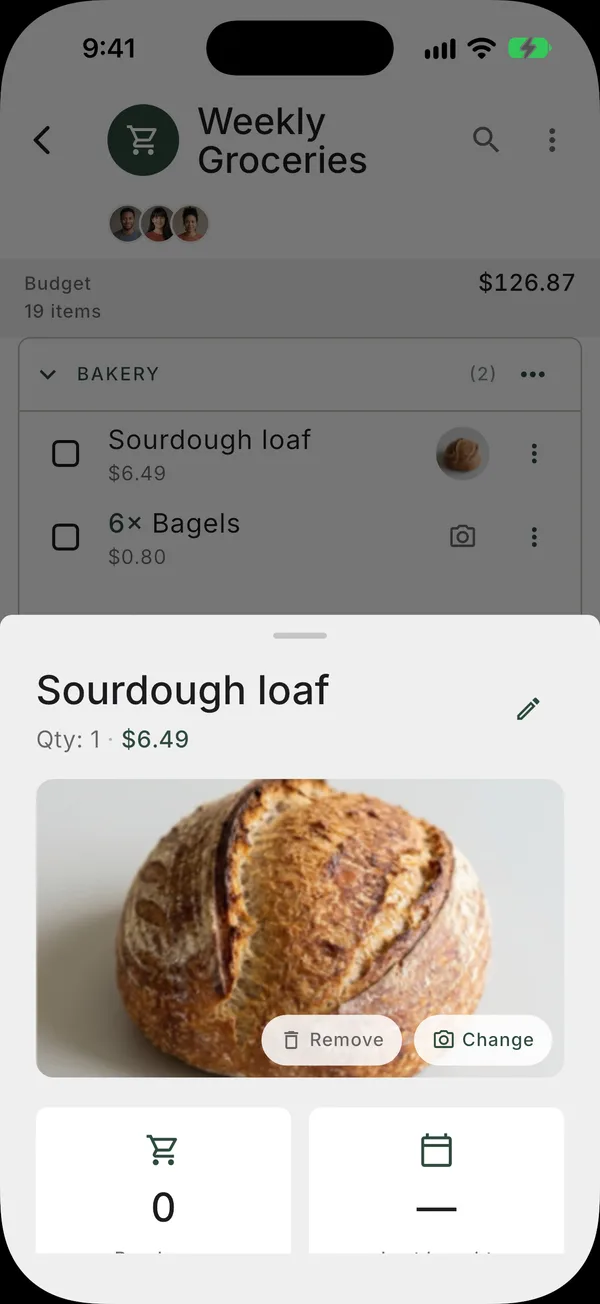
Item photos
Add a photo to an item, so the person shopping sees which product to buy.
Reusable invite links
One invite link per list, instead of a new link for each person.
Monthly or annual subscription, or a one-time lifetime purchase. You can cancel a subscription at any time.
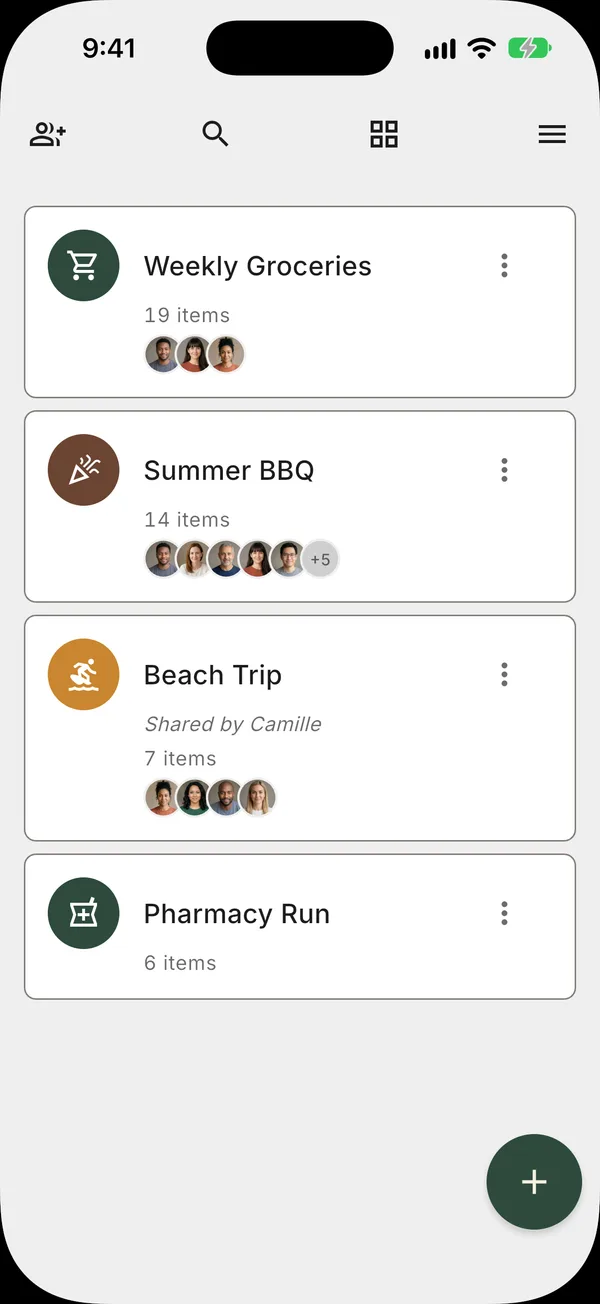
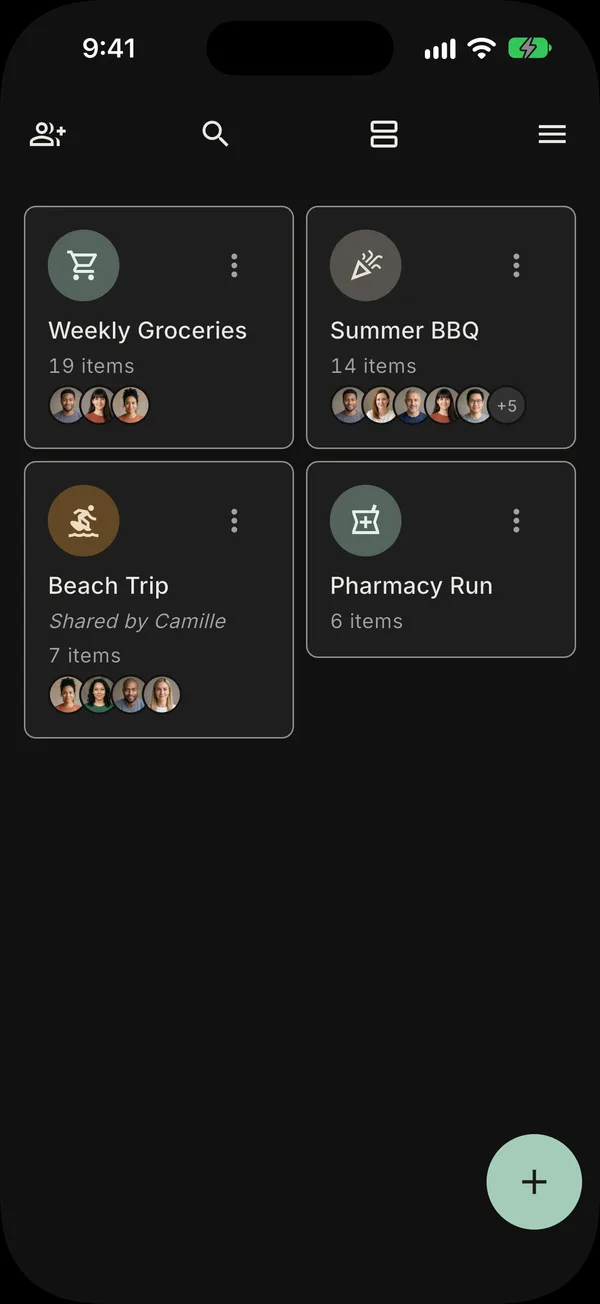
Light theme and dark theme.
Tote follows your phone’s appearance setting. You can also choose light or dark yourself, and Tote remembers the choice.
Three steps.
- 1
Create a list
Groceries, household items, or anything else you need to buy.
- 2
Invite with a link or QR
They tap, sign in with Apple or Google, and they’re on the list.
- 3
Add and check off items
Every change appears on every phone.
Questions and answers.
Is Tote free?
Yes. Tote is free to use and shows no ads. The free plan covers everyday shopping: create and organize lists, share with one other person on as many lists as you want, and see changes on every phone. Tote+ is an optional upgrade that adds unlimited collaborators, item photos, and reusable invite links.
How do I share a list with my partner or roommate?
Open a list and invite someone with a link or a QR code. They tap it, and the list appears on their phone with the same items as yours.
Do I need an account to use Tote?
You can start using Tote right away without signing up. To share a list, or to join one, you sign in with Apple or Google so that the list stays in sync across phones.
Does the person I invite need an account?
Yes. To join a shared list, they tap your link and sign in with Apple or Google. After that, their changes appear on every phone on the list.
Does the list update in real time?
Yes. When anyone adds or checks off an item, it appears on every phone on the list. You do not need to refresh.
Can I use Tote offline?
Yes. Add items and check them off without a connection. Tote syncs your changes when the connection returns.
Does Tote work between iPhone and Android?
Yes. Tote is on the App Store for iPhone and on Google Play for Android. A list shared between an iPhone and an Android phone stays in sync, so it does not matter which phone each person has.
Can my grocery list be sorted by aisle?
Yes. The aisles in your list come in the same order as the aisles in your store. You set that order yourself, for each list.
Can I add prices and see a total for my list?
Yes. Give an item a price and a quantity, and Tote shows the list total and a running total of what is in the cart while you shop.
Is my data private?
Yes. Tote shows no ads and does not sell your data. A list is visible only to the people you share it with.
Will Tote ever put ads or sponsored items in my list?
No. An item appears on your list only when you or someone you invited adds it.
Can I use Tote for things other than groceries?
Yes. You can use Tote for household supplies, a hardware-store run, party planning, or any other list of things to buy.
Make your first list.
Download Tote, add what you need, and invite the people you shop with. You do not need an account to start.